Biometric devices
Your biometric devices, straight to the cloud
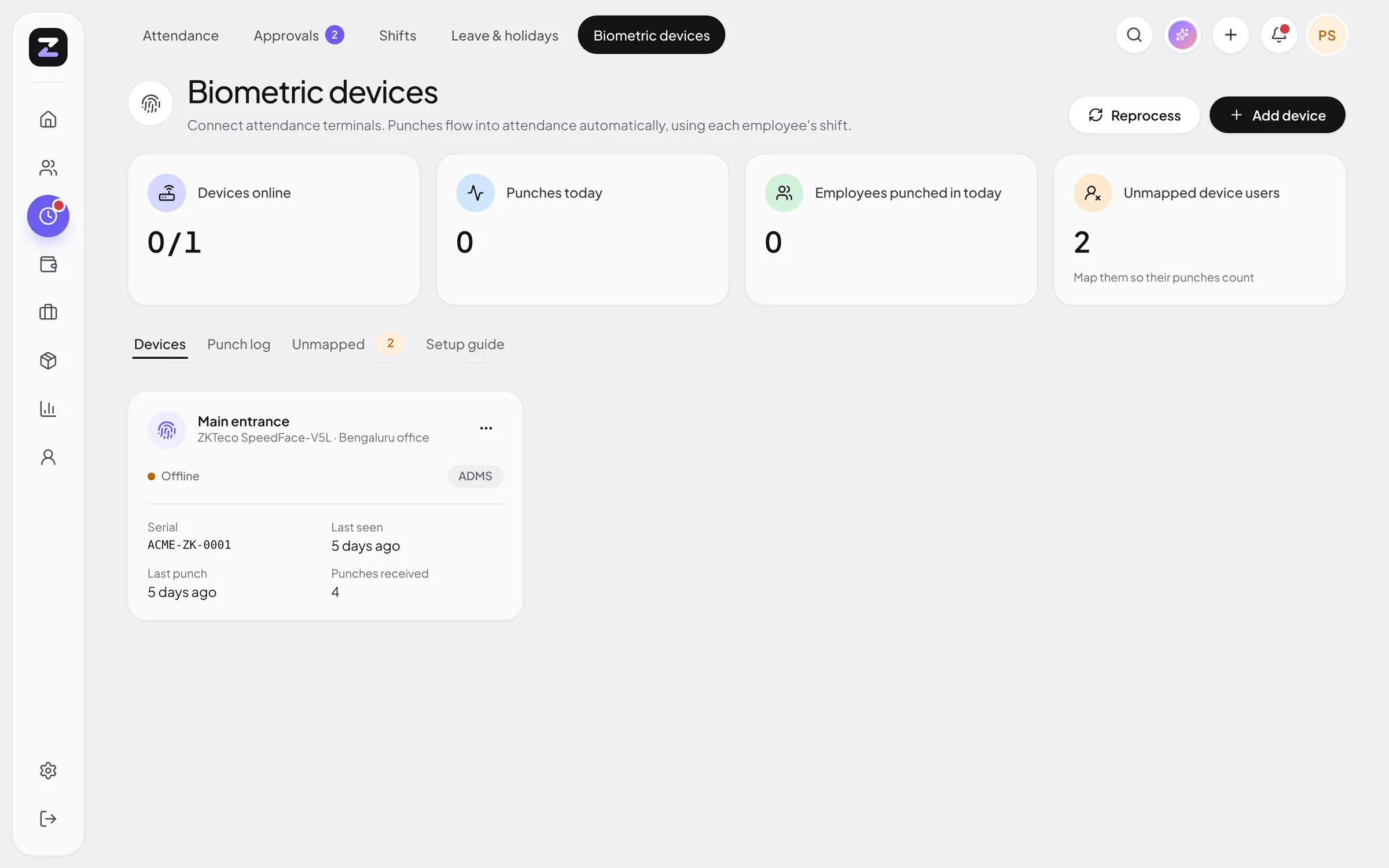
Point a ZKTeco or eSSL device at ZodHR and punches arrive on their own: no sync PC, no middleware. ZodHR turns them into attendance using each person’s shift.
What you get
Nothing to install
ZKTeco, eSSL and other ADMS / iClock push devices call ZodHR directly over HTTPS.
Any other device
Matrix, Mantra, Suprema, Hikvision or your own software can post punches to the JSON API.
Offline-safe
Devices keep punches while offline and upload them when they reconnect. Duplicates are ignored.
Shift-aware
Late marks, early exits, overtime, night shifts, weekly offs and holidays are applied to every punch.
Map once
Unknown device IDs show up as unmapped. Map them to an employee once and earlier punches are applied too.
Live status
See which devices are online, when they last checked in and how many punches arrived today.
Live in three steps
Add the device
Enter its serial number in ZodHR.
Point it at ZodHR
Set the cloud server address on the device and restart it.
Map employees
Match device user IDs to employees. Punches flow from then on.
Biometric devices: common questions
Which devices are supported?
ZKTeco, eSSL and other devices with ADMS, “Cloud server” or iClock PUSH firmware connect directly. Matrix, Mantra, Suprema, Hikvision and others can use the JSON API.
Do I need a computer running at the office?
No. ADMS devices send punches straight to ZodHR over the internet.
What happens if the internet goes down?
The device stores punches and uploads them when it reconnects. ZodHR ignores duplicates.
More of ZodHR
Bring your whole team into sync.
14 days free, no card needed. Your workspace is ready the moment you sign up, with leave policies, a shift and holidays already in place.